
Category: Technology


Modern mission-driven teams don’t need “fancy tech.” They need tech that stays out of the way and still delivers. Think fewer fire drills, fewer mystery outages, and fewer “Who changed the password?” moments. If you want a practical starting point, IT Services for Nonprofit Associations can help set up the better IT environment for your organization. It’s a solid reference for what support can look like when budgets are real and stakes are high. Because for nonprofits, downtime isn’t just annoying. It can mean missed donors, missed services, and missed trust. So let’s take a closer look at how modern IT services help nonprofit organizations.

IT That Works Like a Product

IT environment

Good IT today feels like a well-built gadget. You don’t think about it until it’s missing. Your email works. Your files sync. The printer behaves, which is basically a miracle. The goal is boring reliability. That reliability comes from standard systems and clear ownership. Centralized identity, consistent device setup, and a clean inventory list. No “Frank’s laptop is the server” energy. If your org can onboard a new hire in one hour, you’re in the right zone. If it takes three days and a prayer, you’re paying a hidden tax.

Cloud First, But With Common Sense

Cloud tools are the default now, and for good reason. Staff work from home, from events, from airports, from wherever the mission takes them. Files need to be available, and collaboration needs to be fast. Nobody wants a VPN that breaks every Tuesday. Still, “cloud” isn’t a magic spell. You need permissions that match roles, and shared drives that don’t turn into junk drawers. You also need a plan for data retention and access when someone leaves. The cloud gives flexibility, but messy access control can turn it into a liability. Clean structure keeps it sharp.

Security That’s Real, Not Scary

security

Security is often pitched like a horror movie trailer. Dark music, ominous numbers, a hacker in a hoodie. In real life, modern security is mostly habits plus guardrails. Multi-factor authentication, device encryption, and backups that actually restore. Simple stuff, done consistently. Nonprofits get targeted because attackers assume weaker defenses. That’s rude, but it’s also reality. The fix is to reduce easy wins. Lock down admin access, set up alerting, and train staff on basic phishing patterns.

What to Prioritize If the Budget Is Tight

If money is limited, prioritize the items that prevent disasters. Identity and access management first, then backups, then endpoint protection. After that, focus on standardizing devices and software. Standardization reduces support costs and cuts chaos. Chaos is expensive. Next, set a simple roadmap for the next 12 months. Replace the oldest devices, document core systems, and build a basic incident plan. Keep it short enough that people will actually read it. Modern IT isn’t about shiny toys. It’s about keeping the mission running, even on the messy days.

Support That Feels Like an Extension of Your Team

IT support

The best IT support is invisible until you need it. Then it shows up fast, fixes the problem, and explains it in plain English. No jargon soup. No condescending tone. Just “Here’s what happened, here’s what we changed, and here’s how we stop it next time.” This matters more for mission-driven orgs because time is always tight. Staff wear five hats, and IT shouldn’t be a sixth. A good provider also plans ahead. They track recurring issues, refresh devices on a schedule, and keep software updated. That planning prevents the “everything breaks at once” spiral.…



Artificial intelligence is often seen as purely logical, but emotion and belief are beginning to play a bigger role in how it develops. As AI systems learn to recognize human feelings and interpret values, the gap between data and intuition continues to close. The story of joan of arc miracles highlights how powerful belief can be in driving change, a lesson that mirrors AI’s evolving capacity to understand human intent. By combining emotional awareness with analytical strength, the future of AI may bring technology that feels more human, capable of reasoning with empathy and purpose.

The Role of Emotion in AI Development

Emotion is often viewed as a human trait that exists in contrast to machine rationality, but that perception is rapidly changing. Emotional intelligence in AI involves programming systems to recognize and respond to human feelings through tone, language, and facial expressions. This ability allows AI to connect with users more naturally, whether in customer service, healthcare, or personal assistance. For example, AI tools that detect frustration in a user’s voice can adjust their responses to appear more empathetic and supportive. Integrating emotional understanding not only enhances user experience but also builds trust, creating a more seamless relationship between humans and technology.

Belief Systems and Human Bias in AI

Belief, though intangible, has a powerful influence on human thought and behavior. It shapes the way people perceive information, make decisions, and form opinions. As AI systems learn from human data, they inevitably absorb patterns that reflect these beliefs and biases. This raises complex ethical questions about fairness and representation in AI models. Developers are increasingly working to design algorithms that can identify and correct biases, but understanding belief systems also means appreciating their cultural and emotional depth. Incorporating awareness of belief into AI may help machines interpret human intentions with greater nuance, leading to fairer and more human-centered outcomes.

Emotional AI and Decision-Making

AI’s ability to analyze data is unmatched, yet emotion often drives the final decision in human interactions. Emotional AI seeks to bridge this gap by blending data-driven logic with emotional context. In fields such as mental health care or education, emotionally aware AI can detect distress, offer encouragement, or tailor communication to suit the individual’s emotional state. This approach moves beyond pure logic to create interactions that feel more personal and supportive. The future of decision-making may depend on how well AI can understand when to prioritize empathy over efficiency, particularly in situations that require compassion and emotional sensitivity.

The Ethical Challenges of Emotional Intelligence in Machines

The introduction of emotion and belief into AI brings significant ethical concerns. When machines can simulate empathy or influence emotions, it becomes crucial to define boundaries between genuine support and manipulation. There is also the question of consent—how much emotional data should people be comfortable sharing with intelligent systems? Developers must balance technological innovation with moral responsibility, ensuring that emotional AI serves humanity rather than exploiting vulnerabilities. Establishing clear ethical frameworks will be essential to maintaining public trust as AI becomes more emotionally aware and socially integrated.

The Future of Human-AI Interaction

The future of AI lies not just in computational power but in emotional understanding. Machines capable of interpreting human emotion and belief will transform how people communicate with technology. They will not only perform tasks but also understand the motivations behind them. As AI continues to evolve, it may become a mirror reflecting human emotion, guiding us to better understand ourselves. The intersection of logic, emotion, and belief represents the next great step in artificial intelligence—one that could make technology both more powerful and more human.…


The French press has long been a favorite method for brewing coffee. Its simplicity, rich flavor extraction, and hands-on experience make it a staple for enthusiasts. Questions like how many scoops for bodum french press often arise among beginners trying to achieve the perfect cup. Recently, technology has entered the scene, giving birth to smart French presses that integrate modern conveniences with traditional brewing techniques. These devices aim to enhance precision, consistency, and user experience. Understanding how smart technology modernizes this classic brew reveals the intersection of tradition and innovation in everyday coffee preparation.

The Evolution of the French Press

The French press dates back to the 1920s and has remained largely unchanged for decades. Coffee aficionados appreciate its ability to extract oils and flavors that other methods often leave behind. The process relies on manual control over steeping time and temperature. While this hands-on approach is rewarding, it can also be inconsistent, especially for beginners or busy individuals who want reliable results every time.

Introduction of Smart Features

Smart French presses combine the classic brewing method with digital enhancements. Features such as temperature control, programmable timers, and app integration allow users to customize the brewing process. These devices can heat water to precise temperatures and notify users when their coffee has reached optimal strength. The integration of technology ensures a consistent cup while maintaining the traditional immersion brewing method that enthusiasts love.

Temperature Precision

Temperature is critical in extracting the best flavors from coffee grounds. Smart French presses often include sensors that regulate water heat to within a few degrees. This precision ensures that delicate coffee notes are preserved and prevents over-extraction, which can cause bitterness. By controlling temperature accurately, smart devices allow users to achieve a consistently superior brew with minimal effort.

Programmable Brewing Time

Steeping time directly affects coffee taste and strength. Smart presses allow users to program brew durations that match their preferred flavor profile. Whether one prefers a lighter, more aromatic cup or a robust, bold brew, programmable timers deliver repeatable results. This unique feature is particularly valuable for households with multiple coffee drinkers, each with different tastes.

Integration With Apps and Devices

smart home

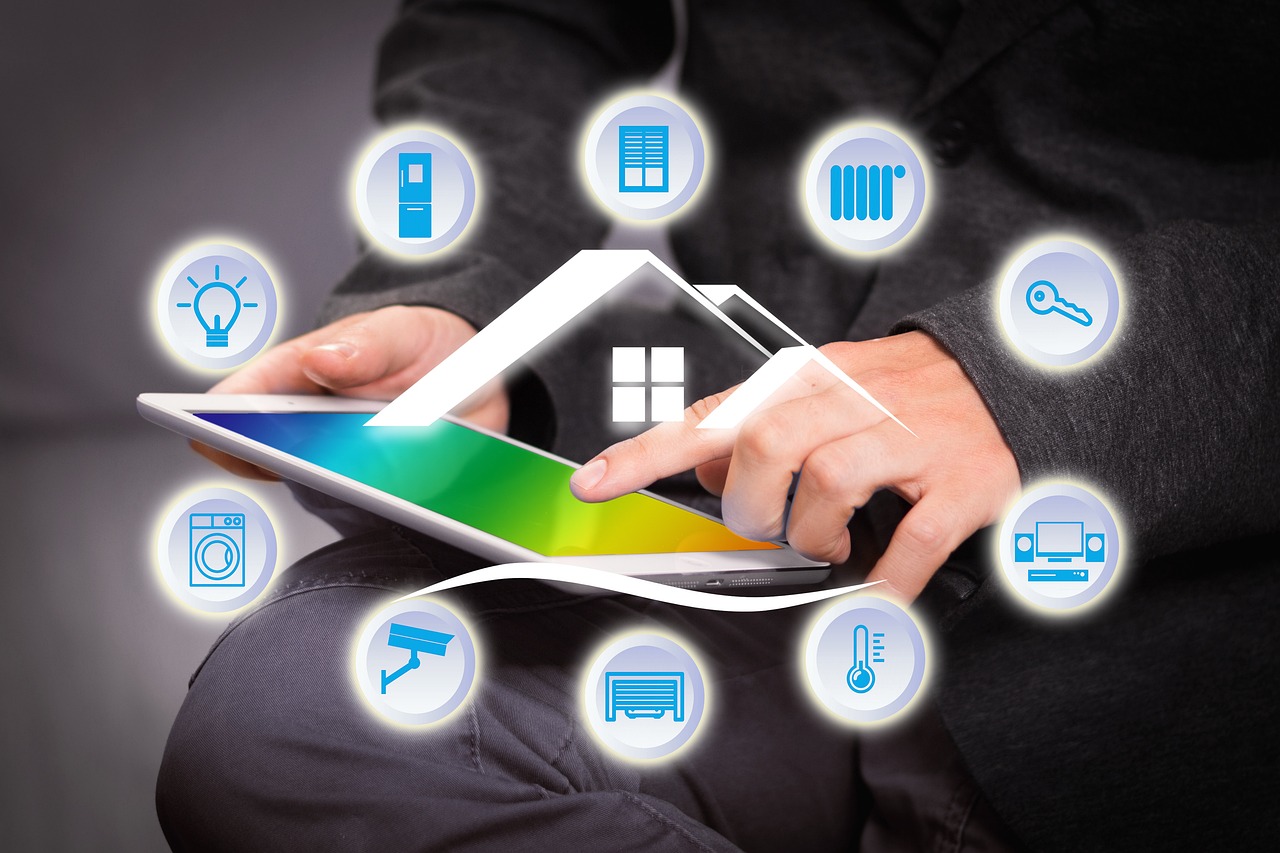
Many smart French presses connect to smartphones or smart home systems. Apps can guide users through the brewing process, store personal recipes, and provide reminders. Some devices even sync with voice assistants, allowing for hands-free operation. This integration ensures that the brewing experience is seamless and personalized, blending convenience with control.

Ease of Use and Maintenance

Despite advanced features, smart French presses are designed to be user-friendly. Automated heating and timers reduce guesswork, while removable components simplify cleaning. Unlike traditional methods, which require careful timing and monitoring, these devices make it easy to enjoy high-quality coffee without compromising flavor. Ensuring that these machines remain easy to clean and maintain is crucial for long-term usability.

Aesthetic and Lifestyle Appeal

Beyond functionality, smart French presses are crafted to complement modern kitchens. Sleek designs, LED indicators, and premium materials make them visually appealing. Coffee preparation becomes not only a routine but also a lifestyle experience. By combining form and function, these devices appeal to both tech enthusiasts and coffee connoisseurs seeking convenience without sacrificing quality.

Smart French presses represent the modernization of a classic brewing method. By incorporating temperature control, programmable timers, and app integration, they enhance consistency and convenience while preserving the rich flavors of traditional French press coffee. These devices offer a unique balance between technology and tradition, making them a valuable addition to any coffee lover’s kitchen. Whether for personal enjoyment or as part of a tech-savvy lifestyle, smart French presses demonstrate how innovation can elevate everyday rituals. They ensure that each cup delivers the utmost quality, satisfying both casual drinkers and dedicated coffee aficionados. As technology continues to advance, the possibilities for enhancing coffee experiences remain limitless, promising a future where precision and enjoyment go hand in hand.…


Photography has always depended on the quality of glass in front of the camera. A lens decides how light enters, how sharp an image becomes, and how much detail is preserved. In recent years, lenses have evolved far beyond static glass. Smart lenses now integrate sensors, processors, and adaptive systems. These changes are reshaping optics for both professionals and casual photographers, especially professionals providing clipping path services.

Understand What Makes a Lens “Smart”

A smart lens is more than a traditional optical component. It combines mechanical elements with electronic intelligence. Built-in chips process incoming data. Autofocus motors adjust in milliseconds. Some even feature liquid crystal layers that can alter shape. This allows photographers to control depth of field or focal length without swapping gear. It creates flexibility that standard lenses cannot provide.

Utilize Autofocus Precision and Speed

autofocus

One of the most visible improvements comes in autofocus systems. Traditional lenses relied on mechanical feedback. Modern smart lenses use sensors to detect subject movement in real time. This ensures that faces, eyes, or even moving animals remain in sharp focus. The speed at which this happens feels instant to the user. For sports or wildlife shooters, this level of accuracy provides a unique edge.

Maximize the Use of Image Stabilization Feature

Camera shake is one of the oldest problems in photography. Even the steadiest hands struggle in low light or at long focal lengths. Smart lenses tackle this with built-in stabilization systems. Gyroscopic sensors detect micro-movements. Actuators then shift elements inside the lens to counter them. The result is sharper photos and smoother video. Photographers no longer rely solely on tripods for steady shots.

Shift Adaptive Aperture and Adjust Light Control

Traditional lenses use mechanical blades to adjust aperture. Smart lenses are changing that with electronically controlled systems. These can shift faster and more precisely, especially in varying light. Some designs even explore variable transparency using liquid crystals. This gives photographers new ways to balance exposure in dynamic environments. It also ensures better performance when moving between indoor and outdoor scenes.

Integrate Smart Lenses With Computational Photography

computational photography

Smart lenses work hand in hand with computational photography. The camera and lens communicate constantly. Data on focus, exposure, and lens distortion is shared instantly. Algorithms then refine the final image. This tight integration allows phones and modern cameras to produce results once reserved for high-end equipment. By combining optics and software, smart lenses offer results that go beyond what glass alone can achieve.

Experiment With Different Angles

For creators, the promise of smart lenses lies in new forms of control. Imagine a lens that can shift focus smoothly during a photo shoot without manual input. Or one that adapts focal length based on the scene’s composition. These capabilities are no longer futuristic concepts. They are emerging features, bringing utmost creative freedom to those who want more than static equipment. The boundaries between imagination and technical limitation are getting thinner each year.

The future of smart lenses looks promising. As processors get smaller and more efficient, more intelligence can fit inside compact designs. Photographers may soon see lenses that automatically correct aberrations or adjust perspective distortion on the fly. There is also potential for integration with augmented reality systems. As this technology matures, it will not replace traditional optics but complement them. It ensures that both professionals and enthusiasts can capture images with greater ease, speed, and reliability.…


Cloud migration is essential for businesses seeking agility and innovation. However, the journey to the cloud can be fraught with difficulties, sue to to data management. At the heart of this transformation lies an often-overlooked hero: data throughput. This critical element influences how quickly and efficiently your organization can transfer data during the migration process. Without robust data throughput, you risk delays that could hinder productivity or lead to costly errors. Understanding its role in seamless cloud migrations empowers organizations to navigate these challenges successfully. As we dive into the various aspects of optimizing your approach, you’ll discover strategies that not only enhance Throughput but also maintain data integrity throughout your transition. Get ready to unlock effective data transfers as we explore this essential component in detail!

Ensuring Efficient Data Transfers

codingEfficient data transfers are the backbone of any successful cloud migration. To achieve this, organizations must first assess their current infrastructure. Identifying bottlenecks within your network can reveal hidden inefficiencies. Investing in high-speed connections is crucial. This ensures that large volumes of data move swiftly without interruptions. Additionally, employing advanced compression techniques can significantly reduce transfer times by minimizing file sizes.



Utilizing specialized tools designed for cloud migrations also streamlines the process. These tools often include features like parallel processing and automated retries, which enhance overall efficiency. Monitoring real-time performance during transfers allows teams to detect issues early on. This proactive approach enables quick adjustments before minor setbacks turn into major roadblocks.

Mitigating Bottlenecks and Latency Issues

Bottlenecks and latency issues can derail cloud migration efforts. These problems often arise during data transfer, leading to delays that can affect overall project timelines. To combat this, it’s essential to analyze your current infrastructure and identify where slowdowns typically occur. This could be network bandwidth limitations or overloaded servers. Employing techniques like data compression can help speed up transfers. Smaller file sizes mean quicker uploads and downloads, reducing the likelihood of bottlenecks. Additionally, consider distributed architectures for workload balancing. By spreading tasks across multiple nodes, you lessen the risk of any single point becoming overwhelmed. Monitoring tools are invaluable here, too. They provide real-time insights into performance metrics, allowing quick adjustments when needed. Proactively addressing these challenges ensures a smoother transition to the cloud environment without frustrating delays or interruptions.

Enhancing Scalability and Performance

Scalability is a cornerstone of any successful cloud migration. As businesses grow, their data requirements evolve. High data throughput ensures that the system can adapt without hiccups. When you enhance scalability, applications respond faster to user demands. This agility leads to improved performance across the board. A robust infrastructure allows for seamless resource allocation based on real-time needs. When equipped with high throughput capabilities, cloud environments can efficiently handle spikes in traffic and larger datasets. This means less downtime and more reliable access for users.Optimizing performance isn’t just about speed; it’s also about efficiency. Effective data management minimizes unnecessary transfers, letting resources focus on what truly matters—providing exceptional service while maintaining responsiveness in an ever-changing landscape.

Securing Data Integrity and Reliability

Data integrity is essential during cloud migration. Any inconsistency can lead to significant issues down the line. To ensure accuracy, implement encryption methods throughout data transfers. This protects your information from unauthorized access and tampering. Verification processes are also crucial. Using checksums or hashes helps confirm that data remains intact as it moves between systems. Regular audits can catch discrepancies early, preventing potential information loss. Reliability hinges on redundancy strategies too. By utilizing multiple storage options, you minimize risks associated with hardware failures or outages. Maintain robust backup protocols for added security against unforeseen events. Having the best disaster recovery plan in place ensures quick restoration if something goes wrong during migration, keeping business continuity intact.

Securing Data Integrity and Reliability


Optimizing Cost Efficiency

Cost efficiency plays a pivotal role in cloud migration strategies. The goal is to leverage data throughput while minimizing expenses. A well-planned strategy can lead to significant cost savings. When moving data, consider the transfer volume and frequency. Cloud providers often charge based on usage. By optimizing your data flow, you can reduce unnecessary transfers that rack up costs. Utilizing tools that compress or deduplicate data before migration enhances Throughput without sacrificing quality. This tactic minimizes the amount of information sent over networks, cutting costs further. Additionally, implementing tiered storage solutions allows businesses to manage their resources smartly. Critical datasets can be stored for immediate access while less frequently accessed files reside in more cost-effective environments. Evaluating different provider pricing models also helps identify the most affordable options tailored to your business needs. Choose wisely; this decision impacts long-term financial health.

Conclusion

Success lies in clearly understanding and implementing effective strategies around data throughput during cloud migration initiatives. By focusing on each aspect discussed above, businesses can achieve seamless transitions that pave the way for future growth.…


In today’s competitive roofing industry, standing out requires more than just expertise and quality service. As you can read on https://hookagency.com/blog/roofing-contractor-marketing-agencies/, video marketing has emerged as a strong tool for contractors to showcase their skills, build trust, and attract new clients. By creating engaging and informative video content, roofing contractors can demonstrate their capabilities while connecting with potential customers on a deeper level. Here’s how video marketing can help roofing businesses grow and establish a strong presence in the market.

Showcasing Expertise Through Tutorials and Demonstrations

Video tutorials and demonstrations are an effective way for roofing contractors to highlight their expertise. By creating step-by-step guides on everyday roofing maintenance tasks or explaining the installation process, contractors can position themselves as industry experts. For instance, a video showing how to identify signs of roof damage or explaining the benefits of specific materials like asphalt shingles or metal roofing can educate viewers while subtly promoting the contractor’s services.

Telling Your Story Through Testimonials

Client testimonials are a cornerstone of building trust; video testimonials take this to the next level. A well-produced testimonial video featuring satisfied customers discussing their positive experiences can resonate with potential clients. Hearing real people share their stories creates an emotional connection that written reviews often lack. Roofing contractors can also include before-and-after footage of completed projects within these testimonial videos. This combination showcases the quality of work while reinforcing previous clients’ satisfaction, making the business more relatable and trustworthy.

Highlighting Your Work with Project Showcase Videos

One of the best ways to attract new clients is by showing them the quality of your work. Project showcase videos allow roofing contractors to highlight completed jobs, including residential and commercial projects. These videos can feature drone footage to capture aerial views of roofs, giving viewers a comprehensive look at the results. Adding commentary to these videos, where the contractor explains the project’s challenges and how they were overcome, further enhances the content’s value. This emphasizes technical skills and portrays the contractor as a problem solver dedicated to customer satisfaction.

Educating Clients with Explainer Videos

Explainer videos are perfect for addressing common client concerns and answering frequently asked questions. Roofing contractors can create videos on the importance of regular roof inspections, the benefits of energy-efficient roofing materials, or the steps involved in filing an insurance claim for roof repairs. These videos provide valuable information and demonstrate the contractor’s willingness to help clients navigate complex issues. This proactive approach can set a business apart from competitors and position it as a trusted advisor.

Leveraging Social Media Platforms for Distribution

Once videos are created, distributing them effectively is crucial. Social media platforms offer ideal opportunities to reach a broad audience. Short, engaging clips can be shared as stories or reels on Instagram and Facebook, while longer, in-depth content can be uploaded to YouTube. Contractors can also consider using paid advertisements on these domains to target specific demographics, such as homeowners in a particular area or commercial property managers. The combination of organic and paid video content ensures maximum visibility and engagement.

Optimizing Videos for SEO

Optimizing Videos for SEOOptimizing videos for search engines is essential to maximize the reach of video marketing efforts. Adding relevant keywords in video titles, descriptions, and tags ensures potential clients can easily find the content when searching for roofing services online. Including subtitles or transcripts improves accessibility and boosts search engine rankings. Additionally, embedding videos on the company website, especially on service pages or blogs, can enhance the site’s SEO performance while keeping visitors engaged.



Conclusion

Video marketing is a dynamic and impactful way for roofing contractors to attract new clients. By creating educational, engaging, and visually appealing content, contractors can showcase their skills, build trust, and differentiate themselves in a competitive market. Whether through tutorials, testimonials, or live interactions, leveraging video marketing helps roofing businesses connect with their audience and establish lasting relationships. Embracing this strategy ensures a steady flow of clients while reinforcing a contractor’s reputation as a reliable industry leader.…


Welcome to the future of sport, where speed, skill, and technology collide in a breathtaking aerial spectacle! As drone racing takes off from a niche hobby to a mainstream phenomenon, enthusiasts around the globe are strapping on their goggles and revving up their remote controllers for an electrifying ride. Imagine navigating heart-pounding courses filled with challenging obstacles at breakneck speeds—all while piloting a high-tech machine that dances through the air like a hummingbird on caffeine.

In this blog post, we’ll explore how drone racing has soared into the limelight, captivating audiences and athletes alike. Buckle up as we dive into the thrilling world where cutting-edge tech meets adrenaline-fueled competition—welcome to “Tech Meets Thrill.”

Origins and Evolution of Drone Racing

Drone racing as a formal sport began gaining traction in the early 2010s. The activity’s inception can be traced back to hobbyists and enthusiasts who began experimenting with small, agile quadcopters equipped with cameras. The concept was relatively simple: pilots would use first-person view (FPV) goggles to navigate their drones through intricate courses, racing against others to achieve the fastest time.

The sport’s first significant breakthrough came with the establishment of organized competitions and leagues. The introduction of standardized rules and regulations helped formalize drone racing, leading to the Drone Racing League (DRL) creation in 2015. The DRL and other similar organizations have played a pivotal role in promoting drone racing as a legitimate sport, with events broadcast on major networks and attracting substantial sponsorship deals.

The Role of Competitive Leagues and Events

league

The proliferation of competitive leagues and events has been instrumental in popularizing drone racing. Organizations like the DRL, MultiGP, and the International Drone Racing Association (IDRA) have organized numerous races, ranging from local meets to international championships. These events showcase skilled pilots’ talents and serve as a platform for technological innovation and industry growth.

Major competitions often feature elaborate courses with challenging obstacles, demanding a high level of skill and strategic thinking from participants. The spectacle of these events, combined with the high-speed action, has captured the imagination of audiences worldwide. Live broadcasts and online streaming have further expanded the sport’s reach, drawing in fans from diverse demographics. So why not register drone in Thailand and get in on the action?

Technological Advancements Fueling the Sport

One of the primary factors behind the rise of drone racing is the rapid advancement in drone technology. Modern racing drones are engineered for speed, agility, and precision. They are equipped with high-performance components such as brushless motors, high-capacity batteries, and advanced flight controllers, allowing pilots to achieve speeds of over 100 mph.

Developing lightweight, durable materials has also contributed to the sport’s growth. Carbon fiber frames and high-strength propellers ensure that drones can withstand the rigors of competitive racing while maintaining peak performance. Additionally, improvements in FPV technology have enhanced the pilot’s ability to control their drone with greater accuracy, providing an immersive racing experience.

Future Prospects and Impact on the Tech Industry

drone

As drone racing continues to gain momentum, its impact on the tech industry is becoming increasingly evident. The sport has driven innovation in drone technology, leading to advancements that have applications beyond racing, such as in agriculture, delivery services, and surveillance. Moreover, the rise of drone racing has opened new avenues for sponsorship and investment, attracting significant brands and tech companies eager to associate themselves with this cutting-edge sport. This influx of capital and interest will spur further advancements and increase the sport’s visibility in the coming years.

Drone racing represents a thrilling convergence of technology and sport, offering a unique blend of speed, skill, and innovation. Its rapid rise in popularity reflects the fascination with high-tech gadgets and the enduring appeal of competitive racing. As the sport continues to evolve, it promises to remain a dynamic and exciting addition to the world of tech-driven entertainment. Whether you are a seasoned pilot or a curious spectator, drone racing is an arena worth watching as it propels you into the future.…


In the fast-paced world of technology, network solutions are crucial in ensuring seamless connectivity and efficient business operations. However, implementing network solutions can sometimes lead to unexpected challenges and pitfalls that even the most experienced professionals can fall prey to. By hiring the best Network Solutions and learning from the mistakes of others, you can proactively overcome these obstacles and optimize your network solutions for success.

Lack of Proper Planning and Design

brainstorm

One common mistake in network solutions is rushing into implementation without thorough planning and design. Scalability constraints, security vulnerabilities, and performance bottlenecks can arise without a solid foundation. To overcome this pitfall, take the time to conduct a comprehensive assessment of your current infrastructure, define clear objectives, and design a network architecture that aligns with your business goals.

Ignoring Security Best Practices

Security breaches are a significant concern in the digital age, yet many organizations overlook essential security best practices when deploying network solutions. From weak authentication mechanisms to misconfigured firewalls, you must consider security measures to avoid cyber threats. To mitigate this risk, prioritize security from the outset, implement robust encryption protocols, regularly update software patches, and educate employees on cybersecurity awareness.

Neglecting Regular Maintenance and Updates

Network solutions require ongoing maintenance and updates to ensure optimal performance and reliability. However, some organizations must pay more attention to routine maintenance tasks, leading to network downtime, slow response times, and system vulnerabilities. To avoid this pitfall, establish a maintenance schedule, monitor network performance metrics, apply updates promptly, and conduct regular security audits to proactively identify and address potential weaknesses.

Overlooking Scalability and Future Growth

growth

As businesses evolve and expand, their network requirements also evolve. Failing to consider scalability and future growth when implementing network solutions can result in costly upgrades, bandwidth limitations, and network congestion. To overcome this challenge, build flexibility into your network architecture, invest in scalable hardware and software solutions, and regularly reassess your network infrastructure to accommodate changing demands.

Inadequate Disaster Recovery and Backup Strategies

Disasters can strike anytime due to natural events, human error, or malicious attacks. Organizations can avoid losing critical data and facing prolonged downtime with robust disaster recovery and backup strategies. To prevent data loss and minimize disruptions, implement automated backup systems, test disaster recovery plans regularly, and store backups in secure offsite locations.

Learning from the mistakes of others is a valuable approach to overcoming pitfalls in network solutions. By addressing common challenges such as lack of planning, security vulnerabilities, maintenance neglect, scalability limitations, and inadequate disaster recovery strategies, you can enhance the resilience and effectiveness of your network infrastructure. Stay vigilant, stay informed, and continuously improve your network solutions to navigate the complexities of the digital landscape successfully.…


Running a business today means having a robust online presence. You need to have a website that is fast and reliable, and you need to be able to access the internet from anywhere. This cannot be easy if you don’t have the right business internet service provider. In this blog post, we will give you tips on how to find the best provider for your needs. If you need help with your search, check out the florida internet providers list to get started and meet your business needs.

Consider the Reliability and Speed of the Provider

app

Reliability and speed should be your top priorities when it comes to finding a business internet service provider. You need to ensure that your chosen provider can provide you with fast speeds and reliable connections. Look up customer reviews online and see what other businesses say about the provider’s performance. If the provider has a lot of positive customer feedback, you can trust that your connection will be stable and fast.

Ensure the Provider Has Excellent Customer Service

In addition to reliability and speed, customer service is essential in choosing a business internet service provider. You want to ensure that the company you select has a helpful team of customer service representatives available to answer your questions and help you troubleshoot any issues. Do some research online to see what kind of customer service the provider offers, or call their customer service line directly to get a better sense of how they handle issues.

Compare Pricing and Data Plans

Another critical factor in choosing a business internet service provider is the cost. Every provider has different prices and data plans, so comparing them before deciding is essential. Look at both the monthly fee and any setup fees associated with the service. Also, read the fine print to ensure the provider’s data plans include enough bandwidth for your business’s needs.

Determine the Type of Connection You Need

Before selecting a business internet service provider, it’s crucial to determine what type of connection you need. Some providers offer fiber optic connections, while others use cable or DSL lines. Each has its advantages and disadvantages, so make sure to research all of your options before deciding.

Finding the best business internet service provider for your needs can be daunting. However, by researching the reliability and speed of the provider, making sure they have excellent customer service, and comparing pricing and data plans, you can make an informed decision that works best for your business. With these tips, you can find the perfect provider to meet your needs. Good luck.…


The days we needed to download music on a particular website and listen to it through our MP4 players were long gone. Nowadays, all you need is a good internet connection and a music streaming service to listen to any music, anywhere, anytime. You can even use this platform for marketing your music, but be sure to get the “Increase Spotify Streams,” here. There is a lot of music streaming services available these days. Spotify and Apple Music are two of the most popular ones. So, which one is better? In this blog post, we will compare Spotify and Apple Music and discuss why Spotify is better than Apple Music.

Spotify Has a Much Bigger Music Library and a Free Access to All of Them

laptop

First off, the reason why many people love using Spotify is that this platform boasts a music library with over 50 million songs. At the same time, Apple Music has “just” 45 million. Spotify also offers free access to all of its songs with some ads in between, while Apple Music requires a paid subscription for full access. This is one of the main reasons Spotify is so much better than Apple Music. Not only does it have an enormous music library, but you can also access all of them for free.

Spotify Makes an Ultimate Playlist Designed for You Every Month and Year

Also, Spotify makes an ultimate playlist for you every month and year. This feature is called Spotify Wrapped. It’s a great way to reflect on your musical journey and see how your taste in music has changed over time. Apple Music doesn’t have anything like this. Spotify also offers a great selection of podcasts which is a great plus if you’re into podcasts.

On top of that, Spotify also has a feature called Spotify Codes, which lets you collaborate with others on Spotify. With Spotify Codes, you can share songs, albums, playlists, and artists with other people by generating a scannable code. Apple Music doesn’t have anything like this. You can collaborate with others to create an album or podcast playlist, and you can also use it to listen to your playlist in real-time with your friends.

Spotify Works Seamlessly Across All Devices

phone

Simply my number one reason why Spotify is my favorite is that this platform also works seamlessly across all devices. You can start listening to a song on your phone and continue listening to it on your computer or tablet without interruption. Spotify Connect lets you control the music playback on other devices such as speakers and TV. Apple Music has a similar feature called AirPlay, but it’s not as seamless as Spotify Connect.

With these things in mind, it’s safe to say that Spotify is a clear winner when it comes to music streaming platforms. It has a bigger music library, offers free access to all of its songs, makes an ultimate playlist designed for you every month and year, lets you collaborate with others, and works seamlessly across all devices.…


Online gaming is a popular pastime for people of all ages. It’s a great way to connect with friends and family, and it can be a lot of fun. If you play OSRS, you should buy OSRS gold from the best places. However, it’s important to remember that online gaming can also be dangerous if your passwords aren’t strong enough. In this blog post, we will discuss the reasons why you should create a strong password when playing online games. Stay safe and have fun.

To Prevent Getting Hacked

game

The first and most important reason to create a strong password is to prevent yourself from getting hacked. Hackers are always looking for ways to break into accounts and steal personal information. If your password is weak, it will be much easier for them to find a way in. A strong password will make it much more difficult for hackers to get into your account. In fact, many professional gamers have their accounts hacked because they use weak passwords. This is something that you need to avoid at all costs.

To Prevent Phishing Attacks

The second reason is to avoid phishing attacks. Phishing attacks are becoming more and more common. These types of attacks usually involve someone sending you an email or instant message that looks like it’s from a legitimate source but is actually a fake. They will often try to get you to enter your username and password into a fake website. If your password is weak, it’s more likely that you’ll fall for this type of attack. A strong password will help to protect you from phishing attacks.

To Avoid Getting Banned

gamer

Lastly, if you’re playing an online game, there’s always a risk of getting banned. This can happen for various reasons, but it usually happens because someone has hacked into your account or because you’ve been acting in a way that goes against the terms of service. If your password is weak, it’s more likely that you’ll get banned. A strong password will help to protect you from getting banned. Being banned from a game can be a very frustrating experience.

This is especially if it is your favorite game. Online gaming is a popular pastime, and it’s important to protect your information while you play. By creating a strong password and using two-factor authentication when possible, you can help keep your account safe from hackers. Have you set up two-factor authentication for your online gaming accounts? If not, consider doing so today. It’s an easy way to add an extra layer of security to your account.…


One of the most important aspects of any online booking system is a reliable API provider. Tech has come a long way in recent years, and many companies have been able to stay on top of the latest trends concerning technology. But not all providers are created equally, so you must hire someone who will offer your company everything it needs for an effective booking system, such as the OnSched tech company. You can work with OnSched to achieve new heights in your business. In this blog post, we will discuss how hiring a reliable API provider can benefit your business!

Creates Better User Experience

laptop

An online booking API provider is key to creating a better user experience for your customers. By hiring them, your online booking system can integrate perfectly with your website, ensuring that your customers have the best experience possible. The systems work by integrating with your website, so it’s essential to work with an API provider that knows what they are doing. When you hire a reliable API provider for your booking system, not only will the experience be better for customers who use mobile devices or desktop computers to make their bookings, but you can also ensure that all of your users have quick and easy access to the online booking site.

Offers Great Flexibility and Customization

A reliable API provider offers companies more than just a booking system: they offer customizability and scalability. They will work closely with you to ensure that whatever is built for you can be scaled as needed by your system. Moreover, they will ensure that it is easy to integrate with your current system, so you don’t have to go through the hassle of replacing any part of what’s already in place. When hiring a reliable API provider, tech support becomes an essential element for companies looking to grow their booking systems into something bigger than they’ve ever been.

Provides Excellent Insights

coffee

API providers can help us with the systems integration. They can also help us better understand how to optimize our online booking systems. Tech support goes a long way in ensuring that we can make the most of their API and know how it works, thus creating more opportunities to increase what we earn with each transaction made within our system. This API specialized tech support can give you more insights into the market, what works for your competitors and how you can get ahead. Tech support is not something to be taken when it comes to API providers.

Gets Regular Software Updates

A great and professional API provider always offers regular software updates. It is essential for them always to remain ahead of the curve and provide their users with updates that can help increase earning potential. Tech support is there to ensure that you get these software updates on time, so they do not cause any interruption in your system or interfere with new deals being made through it. Moreover, updates are beneficial to combat any bugs, errors, or security breaches that might occur with the system. Tech support is available to help users through this process as well, if necessary.

When it comes to a reliable API provider, there are many benefits. These include quicker response times for developers and more security features. You can also have greater control over the design of your booking system by working with an experienced company that has been in business long enough to learn from their mistakes and those of other clients. With these all benefits, you can optimize the online booking system in your industry. Then, your business can start growing much more significantly and faster with colossal revenue. To find out how much you should expect to spend on this service, be sure to ask about the hourly rate or annual contract cost before signing anything!…


The UK is a country with a rapidly growing population and employment rates. This, combined with recent legislation changes in the United Kingdom, has increased the demand for skilled contractors. These new regulations have also helped to make the use of contractor management systems in the UK more prevalent than ever before. In this post, we will be discussing what the best contractor management system does, why you should invest in one, and how it can benefit your company!

Managing Your Finances

A contractor management system helps manage expenditures by giving insight into where money is going. With the contractor management system, you can monitor costs and compare them to your budget.

This ensures that any issues are detected early on, giving you time to act before they become too costly or problematic. So, in a sense, It will also provide an easier way to track payments made to contractors, which means less hassle for accounting teams.

Reducing Tax Liabilities

As we all know, tax liabilities can be a thorn in any company’s side. However, with the help of a contractor management system, you can greatly reduce your tax liabilities. How? By classifying workers correctly! A sound contractor management system will automatically identify which contractors are employees and subcontractors.

The system will also take care of the necessary payments and paperwork. Additionally, it provides a way to file tax documents electronically while reducing errors when filing by hand or using spreadsheets.

Managing Your Team

laptop

A quality contractor management system takes an accurate snapshot of who is working at all times for easy access by managers, technicians, and other authorized personnel.

This enables you to manage your team more effectively by quickly getting an overview of who is available, what their skills are, and how much they cost the company daily/weekly/monthly basis. It also provides a way to track absences and holidays.

Improving Productivity

Contractor management systems help increase productivity because they allow companies to find better quality workers. How? By enabling companies to filter through a larger pool of potential employees.

This is done by providing an easily accessible database of workers that have the required skills and qualifications for the job at hand. Additionally, contractor management systems help improve productivity by automating many tasks related to finding, vetting, and onboarding new contractors.

The Bottom Line

So, if you’re looking for a better way to manage your contractors in the UK, consider investing in a contractor management system! We hope that this post was helpful!…


Have you decided to buy the best-LED monitors? If yes, do you know some of the buying factors you need to consider? When purchasing these tools, ensure you research and know influential buying factors you should consider. It is vital to understand that a monitor is a critical tool you need for daily usage. However, most people use it for various uses. You can find the best monitor under 10000 in india 2021. Know the perfect buying tips you should consider to make an ideal choice.

The monitor offers you a visual experience of what your CPU provides. When you are buying a monitor, you should consider various buying factors to ensure you make the recommended choice. When you research and collect authentic information, it will be easy to make the right buying decision. If you want to buy the best-LED monitor, here are the buying factors you need to consider.

Response Time

gamer

If you decide to purchase a monitor for gaming purposes, make sure you buy one with a slower response time. When considering the response time, ensure you consider dealing with the best and modern monitors with high refresh rates.

Depending on your need, you need to buy a quality monitor that has a slower response time. With a monitor that has a slower response time, it will offer ghost-free and blur-free images. In a situation where you need a monitor for gaming, it will improve gaming’s incredible experience.

AMD Free-Sync Technology

When buying the perfect LED monitor, make sure you take your time and consider the AMD technology. It is crucial to note that monitors with this technology synchronize the monitor’s refresh rate and GPU frame rate. Also, it offers a tear-free and stutter-free view.

Flicker-Free Technology

code

Another aspect you need to consider in this process is the flicker-free technology. If you intend to choose the right LED monitor for gaming, consider going for one with the flicker-free technology. When you play games, this technology will protect your eyes from harmful rays. Also, your eyes will live longer and stay fresh.


Consider the Cost

Cost is another crucial element you need to remember in this process. Ideally, these monitors vary in price because they have different features. Therefore, you need to take your time and know the perfect elements you need to know the price range. In doing this, it will be easy to make the right choice and buy a modern LED monitor at a reasonable cost.…


With the increased business competition, for your business to be able to perform better than that of your competitors, you need to embrace technology with both hands. Choosing the best API can take your business to the next level. Appointment scheduling API or for recoding the activities for your business, you just need to make sure that you get the best.

You are probably wondering what it takes to have a powerful APS. Well, first, you need to acknowledge the fact that not all APIs are created to offer you quality and reliable services. Some are there for the sake of being there. Once you put that in your mind, it will be easy for you to identify an API that is fit for your business. Here are the things that you need to consider when looking for an ideal API for your business.

Features Completeness

Features Completeness

One reason why you are investing in technology is that you want to make your work easier and effective. However, this is not always the case especially if you are not going to choose the right software. You need to make sure that the API system that you are about to buy offers you all the features that are necessary for the operation of your business. If you need something new, then you will need to talk to your programmer and see if they can help you achieve the desires of your heart.

Documentation

You also need to pay special attention to the documentation of the API system. A good system should have a comprehensive documentation to help you make proper use of it. It is the documentation that will help you solve any eras that the system might encounter during the operation of the business. Some developers will make the documentation hard to understand so that anytime that you have an issue with the system; you will be compelled to call them. This is an expense that you can avoid by having a comprehensive documentation.

Interface

You also need to make sure that you like the interface. This is important because it has a direct influence on how you will be using the system. If the system has a perfect interface, then it is possible for users to spend many hours working with the system without getting bored.
Still, on the interface, you need to find an interface that is easy to use and does not hurt your eyes. You can know whether or not interface is good by carefully examining the API system and also going through the documentation.…


Drones are basically unmanned aerial vehicle. Though they have been around for many years, their application has increased rapidly in the recent years. Drones In View have a wide range of sizes, shapes and with interesting features which have made picking the right one quite a daunting task. If you are looking for an amazing drone, here are some of the basic features that you should look out for.

Circle hovering

This feature lets the drone fly around the transmitter while recording a video. This is done by setting the radius of flight, and in some drones, you can simply set it to circle far away or close to you.
An almost similar feature is a safe circle which is ideal for beginners. With this features, a drone cannot fly too close to the pilot. The radius of the circle depends on the drone’s brand but if often ranges about 8 meters (26-foot) from the transmitter.

No Fly Zone

According to Federal Aviation Administration (FAA), drones should not fly higher than 400ft. Therefore, when buying a drone, pay attention to this feature and check if the manufacturer has complied with the set regulations.
This feature also limits the drone from flying over restricted areas such as near the white house or airports. The limitations are pre-programmed, so you should ensure that your drone is always updated to the latest firmware.
Some drones have an additional feature known as Geo-Fence which is almost similar to No Fly Zone but it does not follow the regulations. It is recommended for beginners as it sets a boundary so that the drone cannot fly further than a set distance from the pilot’s position.

Selfie mode; Look-down mode; tracking mode; watch me; Follow mode

All these names refer to almost the same features. They primarily work in a way that you can set the drone to spot an object, record videos or take photos.
Some drones have both follow me and tracking mode options. The difference is that in the first one, the drone automatically chases you while recording a video while in the second, you have to pre-set the altitude as well as the distance from where the drone will follow you.

Failsafe Mode

Most people have lost their drones especially those using mini drones hence the need to ensure that your drone to has this feature. It automatically makes the drone return back home. However, this can differ from one brand to another. Some drones will return where they took off while more professional ones will return where the transmitter is located.
Failure to have this features can lead to the loss of your drone forever when it flies to somewhere you did not expect.

Auto-landing

This feature is almost similar to Failsafe. The only difference is that the controller has a button that allows you to call your drone back home. The more professional a drone is, the closer it will land to where it started or close to the transmitter, but some drones have the tendency of landing farther away and giving you a hard time tracing it.

Having a drone with the above features enhances your safety and makes it easy to control your drone.…